SLI home
User login

A BLOG FOR E-COMMERCE LEADERS

  • Blog
  • Resources
  • Webinars
  • Customer Experience Scorecard

SLI Blog

Key E-commerce Mistakes That Could Be Hurting Your Bottom Line

Posted by Katherine Belshae, Sales Director at SLI SystemsJanuary 10, 2017Uncategorized

mistakes-to-avoidNavigating the E-commerce landscape can be daunting for businesses that have been stuck in the brick-and-mortar mentality. But it doesn’t have to be. Below are a few key mistakes online businesses make that may be affecting their bottom line. Correcting these mistakes will result in a more streamlined e-commerce site, and an expanded, engaged, and more loyal online customer base.

Not Optimizing Your Site for Mobile

With over half of online shopping being conducted on mobile devices, it is imperative that your e-commerce website is optimized for mobile. Doing so requires software that has excellent support for both desktop and mobile shoppers. When you choose an e-commerce software provider, pay particular attention to how customizable the shopping experience can be.

Customers want a shopping experience that is tailored to them, regardless of which platform they use to access your content. Ensure that the transition between desktop and mobile is seamless, so that both first-time and returning customers can use the most convenient option for them.

Ignoring Your Analytics

One of the biggest differences between traditional shopping and online shopping is the sheer amount of data that can be collected about your online customers. Use this incredibly powerful tool to your advantage. Invest in deep analytics software that utilizes metrics to highlight key performance indicators. This will allow you to generate more actionable insights that can drive change within your organization.

Ensure your analytics software can provide real-time analysis of the data that you need most, and has the ability to filter it down into a usable and intuitive format. Real-time analytics can help take your e-commerce business to new levels when it comes to customer service and engagement, as well as give you greater depth and breadth of knowledge about your customers.

Using Manually Produced Product Recommendations

In the past, online retailers used staff to manually merchandise their product recommendations, but this is no longer the most efficient or accurate way to recommend products. Instead, implement machine-driven, intelligent, product recommendation software to automate your recommendations strategy.

One of the primary benefits of this approach is that it provides more accurate product recommendations based on customer search history or product views. In these cases, more accurate recommendations lead to more sales.

Additionally, machine-driven recommendation software works more quickly and efficiently than manual merchandising. This can free up costly manpower to work on other forms of customer engagement, while providing a more tailored and relevant shopping experience for your customers.

Not Taking Advantage of Social Media

The myriad of connections between social media and online shopping shouldn’t be ignored or downplayed by your organization. Leverage a robust and far-reaching social media presence to engage with your customer-base across a variety of platforms.

Responding to customer reviews, offering product recommendations, and responding to customer questions or concerns on social media platforms will help you provide a superior level of customer service.

This, in turn, will encourage new customers to navigate to your site. In addition, a strong social media presence transitions a higher percentage of customers from one-time shoppers to returning customers. Social media should also be leveraged as part of your overall merchandising plan to disseminate information about promotions or new products.

Using social media to stay in contact with your customer base can create a better customer experience where consumers feel engaged and important, while also giving you multiple avenues to provide proactive customer service.

Ignoring SEO

Good SEO ensures shoppers can find your site without slogging through pages of search engine results. Develop a comprehensive SEO plan to guarantee your site will consistently rank high in search results.

In the past, this was done primarily through targeting specific keywords. However, search engine algorithms have become more sophisticated over time. Adapting to complex search engine algorithms will require you to use a broad approach to SEO.

The most efficient way to maximize your SEO footprint is to adopt SEO optimization software. You’ll free up time for other projects and automate your rankings for relevant keywords. Make sure to use an SEO solution that is flexible enough to adapt over time to changes in search engine algorithms. Doing so will allow you to stay ahead of the curve every step of the way.


To learn more about creating an online experience that can rival the in-store experience, watch our webinar Merchandising Matters: Mimic the In-Store Experience.


Read More

Desktop vs. Mobile Shoppers: How to Cater Your Shopping Experience to Both

Posted by Murray Brook, Senior Sales DirectorJanuary 6, 2017Uncategorized

mobile-desktop-shoppingTailoring a seamless shopping experience for both desktop and mobile users is crucial to the success of online retailers today. Currently, over half of e-commerce sales are being conducted on mobile devices, and this number is projected to increase in the coming years.

Ensure that your mobile customers have the same personalized shopping experience as desktop users so that you can tap into this market more effectively. Below are some tips that will allow you to cater your shopping experience to both mobile and desktop users, allowing you to provide top quality service on both platforms.

Utilize a Flexible Platform

The software platform you deploy should incorporate support for both mobile and desktop shopping experiences. Whether you generate more sales from one group or the other, having a platform that includes a robust set of tools for both mobile and desktop will allow your customers to have a seamless shopping experience between the two.

Both systems should utilize intelligent predictive search. This is particularly true in mobile applications, where users typically don’t want to spend the time typing an entire search query. Additionally, the platform should incorporate smart product recommendations for both mobile and desktop users, allowing them to more easily navigate to products they may be looking for.

Ultimately, this will increase the size of your transactions and your bottom line. Be wary of using two completely different software systems for mobile and desktop. Customers want a consistent shopping experience when they navigate to your site on a mobile device, not a surprise.

Keep Navigation Simple

Your site’s navigation should be simple and intuitive. While this tenet has a long track record of success when it comes to desktop sites, user-friendly navigation on mobile has experienced slower implementation. Mobile users should have access to collapsible menu buttons that allow them to quickly navigate between different areas of your site.

Mobile e-commerce sites also benefit greatly from easy-to-use and intuitive filtering options. Collapsible and easily understandable filters help your mobile users avoid scrolling through pages of items they aren’t interested in.

Lastly, mobile shoppers operate on a number of different devices with independent needs. Ensure your software will allow users with smaller screens or slower loading times to access your content in a responsive and easily navigable manner.

Continuous Support is Required, Not Optional

The rate at which both desktop and mobile shopping patterns change over time demands using a system that has continued support. This will allow you to continue to fine-tune the experience for your users, regardless of how they access your content.

And it is important to remember that mobile shopping behavior is always evolving based on new mobile technologies. Features that you may not use now might prove crucial by next year. Make sure you have the support you need to continue to customize the shopping experience for both users. This will allow you to stay competitive, while increasing customer return and retention.

Rely on Real-Time Analytics

Utilize real-time analytics software to track how customers are using your site. This information will allow you to tailor their shopping experience quickly and efficiently. Ensure you are using software that has a robust set of analytics metrics, so that you are armed with the information you need to gain insights into shopping patterns.

Also, use analytics software that provides the data you need in real-time, so that you can act on information that is current rather than outdated. By doing so, you will be able to quickly respond to changes in customer patterns, as well as customize user experiences for both mobile and desktop users.

Incorporate a Variety of Payment Methods

While desktop shoppers may be happy to type in their credit card information to complete a transaction, mobile shoppers often prefer a more streamlined approach to the check-out process. Ensure that your system has a variety of payment options for users, including support for mobile wallets such as Apple Pay, Android Pay, and Paypal. These systems offer the flexibility for mobile users to pay how they would like, even if they don’t happen to have their card on them.

For more tips on creating a seamless mobile shopping experience for your customers, download our e-book Site Search and the Mobile Experience.

Read More

The Race to Retail Relevancy: Discover why it’s not what you sell, it’s how you sell it

Posted by SLI SystemsDecember 23, 2016Uncategorized

Whether you realise it or not, you are in constant competition to win the attention of your consumers. You’re competing against every single communication an individual on your list receives – every day. While your customers may engage with your brand on a regular basis, their loyalties don’t just lie with you. The most recent report dotmailer sponsored from the DMA reveals that 30% of respondents claim to receive more than 40 marketing emails per week. If the reality is anything like this volume, those getting heard will be performing beyond the norm. And they are your competition.

Email is still the preferred channel for marketers and consumers alike. But with 84% of consumers finding less than half of the emails they receive to be relevant, you need to be doing more to add value to your communications.[1] As humans, if we’re privy to irrelevant conversation, we tend to switch off quickly. It’s no different in the inbox. The window of opportunity to appeal to your consumer is small; one in three consumers delete marketing emails after reading the subject line.[2]

There’s no ROI to be made in irrelevancy. But those that strategise to deliver relevant marketing campaigns will achieve the highest open and click rates, and the greatest sales growth. This blog post looks at what it takes to be relevant to your consumers, so you can win the battle of the inbox.

5 tactics to make your marketing communications relevant

1 – Timing

There’s no right or wrong day or time to send email, but there ARE some that are better or worse, and these depend on your audience. What behaviours can you identify in your customers? One of dotmailer’s current retail clients has recently seen success by extending its abandoned cart program and optimising by send time. Through testing, the company identified that its best conversion time for abandons was Sundays, between 7:30 pm and 9:30 pm, which is now when it sends the final email in its campaign.

You can use your own data to work out the best send time for your business. As always, be sure to split test your campaigns regularly to maintain the accuracy of your strategy.

2 – Message

A relevant communication will convey a message that adds value to the consumer’s day. In December, for example, a relevant message could be details of the last order and delivery dates for the holidays. What’s more, the message needs to be relevant to the recipient’s stage in the customer lifecycle; existing customers should not receive a first-purchase incentive, but might be much more interested in joining a loyalty program.

Getting your messages as relevant as possible means using your consumers’ past purchase history and likely buying patterns. The best messages will use data from your brand’s various channels to predict and send targeted content based on what a consumer is likely to purchase in the future.

3 – Segmentation

Segmentation is one of the most powerful tools to drive relevancy, and, when used effectively, it can monetise your data like nothing else. To be useful, your segments should enable you to provide your contacts with more relevant messages; for example, a useful segment to have is a ‘newly acquired contacts’ segment, which is built upon a simple communication idea, like “Thank you for signing up.” Simplicity is key – remember that the more niche your segments become, the fewer customers will receive your emails, which depletes your chances of a healthy ROI.

4 – Stage in the lifecycle

Practising strategic lifecycle targeting will ensure that your company avoids the pitfalls of the batch and blast approach. Different customers are (clearly) at different stages in their relationships with your business, and should be communicated with accordingly. From the enquirer, to the first-time buyer, to the repeat purchaser, each stage requires a different set of engagements to drive relevancy.

5 – Recency

The sooner you can react to consumer behaviour, the more likely your communications are to be successful. This is where an email marketing automation platform like dotmailer comes into its own; setting up automated programs allows you to react to behaviours on mass scale.

Abandoned cart campaigns provide a great example of this: an email alerting someone to their abandoned items within minutes (rather than hours), returns significantly better results. dotmailer’s client, the vintage British brand Cabbages and Roses, has a three-part abandoned cart program. The first email is sent just after abandonment, and achieves an average conversion rate of 19%, compared to the second email which is sent 24 hours after abandonment and only achieves 6% conversion.

Achieving Relevancy

Let’s look at how you might put these ideas into practice.

There are three evergreen follow-up campaigns that should be triggered by customer behaviour:

  • Welcome sequence – triggered each time someone joins the database
  • Abandoned cart alert – triggered by a customer leaving the site with products in their cart
  • Post-purchase follow up – triggered by a successful delivery

Each of these programs can be built from a single email and scaled up as you progress. No excuses!

Where’s my data and how can I use it?

Retail makes available a gold-mine of data for the marketer to capture. Remember that the good use of data is what drives relevancy.

Data that might trigger communications:

  • Interactions with communications – e.g. opens and clicks
  • Buying behaviour – e.g. a purchase
  • Personal data – e.g. date of birth, due date, anniversary etc.

Data that might influence messaging or personalisation:

  • Product data – purchases; items a customer has viewed or saved
  • Website behaviour – frequency of visits; items viewed
  • Buying behaviour – how many times a customer has bought; average spend value; time of purchase (time of day; day of the week; time of the year)
  • Personal data – e.g. name, address, date of birth, due date etc.

The key to successful relevancy in email is to start small and scale quickly. Relevancy is not about identifying every customer action from which you can trigger a sequence of communications. It’s about working out the most powerful and appropriate sequences to build for your customers, and then perfecting these communications.

Email marketing automation supports time-poor marketers

So, you know what data you need to get working for you, but you don’t have the time or people-power available to tailor and hand-deliver every relevant email marketing campaign to each of your contacts individually. Who has? An email marketing automation platform like dotmailer is the most cost-effective, time-effective way to gear up for the race to retail relevancy. Drag and drop your way to on-brand, personalised campaigns that meet every requirement your business has. Then set up programs that trigger emails based on your customers’ behaviour. Relevancy doesn’t have to come at the price of your resources. When prioritised, it’s the easiest tool to bag you the top spot in the inbox.

Want to know more about driving relevancy with email marketing automation? Take a look at our top tips for 2017.


rohanbw1-002Rohan Lock has more than 10 years’ experience helping e-commerce brands optimise their digital marketing. After heading up dotmailer sales and account management and subsequently as group sales director based in the UK, Rohan, a dotmailer veteran, has recently moved back to Melbourne as a means to develop the brands presence in Asia-Pacific. Now as dotmailer’s regional director, Rohan works with local integration and agency partners, as well as key global relationships and integrations, including Magento, Salesforce and Microsoft Dynamics, to bring dotmailer’s technology offering to local organisations.
[1] DMA Consumer Email Tracker Report, p.13.

[2] Ibid., p.17.

Read More

Is Your Site Search Working?

Posted by Joseph Durso, Sales DirectorDecember 23, 2016Uncategorized

A customer has just arrived on your website, credit card in hand, ready to purchase. She’s not just browsing; she’s searching for something. Maybe it’s a category of products, such as winter shoes, or a specific product, right down to the model number.

Then something terrible happens. Your customer searches for what she want and receives nothing but the message:  “No results.” Frustrated, she quickly navigates away from your site and straight into the arms of your competitors. Game over.

Shoppers who use site search are your most profitable. In fact, their order values are 11 percent higher than non-searchers’ order values. If your searchers bounce more than they buy, what can you do to recapture this lost revenue? Start by finding out where your search function is going wrong.

Red Flags … When Search Is Not Working

Turn on your coffee maker in the morning, and if it’s not working, you’ll find out fast. Your car tells you there’s a problem with disconcerting sounds. But what happens when the search functionality on your e-commerce site isn’t working well? Complete silence. No terrible noise, no overflowing liquid on the floor – no  dramatic symptoms. The red flags of poor search functionality are much more subtle. What signs should you look for? Here are seven places to start:

Search by Product Name and Number

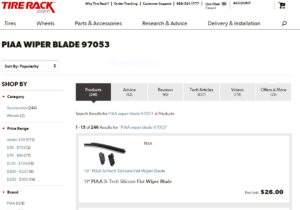
Many customers arrive at an e-commerce site through a defined buying journey. For example, they might come from a Google search. If a shopper Googled “best wiper blades for Honda Pilot,” he would likely find a Honda customer forum in the search results. On the forum, one user recommends PIAA wiper blades and indicates the manufacturer’s part number. Naturally, this shopper’s next step would be to search for that product and part number on his favorite auto parts retail site. This is where site search becomes critical.

If this shopper had chosen to search for the part on Tire Rack’s website, which supports searches by product name and part number, the exact match would be presented.

tire-rack-wiper-blades

Sixteen percent of e-commerce websites do not support searches for product name or model number, and as a result, customers reach a dead end.

Key takeaway: Bill Gates said, “Your most unhappy customers are your greatest source of learning.” In this case, your unhappy customers are leaving quietly. Test your existing search features to determine if it is possible to search your site by product name or number.

Fine-Tune Autocomplete Suggestions

Have you ever known someone who finishes other people’s sentences? Sometimes they are correct, but other times, they are aggravatingly wrong. Autocomplete works in a similar way. The majority of websites, 82 percent, use this function. When the results are wrong, searchers get annoyed. And annoyance is not good for business.

Most of the annoyance stems from usability issues, as the autofill feature delivers suggestions that are repetitive or lead the customer to dead ends. For example, the autosuggestion may be based on prior searches or old catalog content that is no longer relevant.

So what’s the remedy? There are a couple of potential fixes. First, leverage a platform that learns from shoppers’ real-time buying behaviors to ensure all suggestions are as relevant and helpful as possible. Second, test query suggestions on a regular basis, and make sure to weed out those with no results.

Key takeaway: Guy Kawasaki, Alltop co-founder, said, “Ideas are easy. Implementation is hard.” Autofill is a great idea, which is why so many e-commerce companies use it. Examine the usability of your autocomplete to be sure it’s not negatively affecting your bottom line.

Don’t Ignore Product Jargon

Potential customers likely have a specific  product in mind when they arrive on your site. But as they start searching, the functionality of your search technology may be driving a wedge between them and your product.

For example, consider a visitor who is searching for a hair dryer. If they type “blow dryer” into the search bar, the site search functionality should be configured to support that common synonym. But if the search comes back with the dreaded message “No results were found,” the shopper is apt to get frustrated and leave the site for a competitor.

Search capabilities need to be smart, not rigid. Search technologies must allow users to get relevant results from a variety of search terms related to the product. This problem is more widespread than e-commerce companies might believe.

Only 30 percent of e-commerce search engines included keywords from each product’s parent category, which means the user has to use the exact language of the parent category to locate the product.

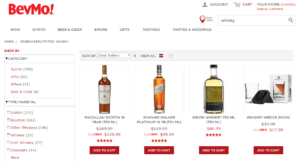
Doing this well requires deep knowledge of your products and your customers. For example, Bevmo knows that some members of its worldwide customer base use the terms “Scotch” and “whisky” (spelled with a “y”) interchangeably, while others use the terms “bourbon” and “whiskey” (spelled with an “ey”) interchangeably. Bevmo has configured its search to capture this nuance. A search for “whisky” returns results for Scotch (while still returning some results for “whiskey” to account for those who may have just misspelled).

bevmo-whisky

Key takeaway: Potential customers are using a variety of words to locate the products you sell. Design your search to be flexible enough to return excellent results from all potential synonyms a user might type into the search bar.

Don’t Expect Searchers to Be Perfect

An article published by The Washington Times reported that nearly two-thirds of Americans surveyed thought that the spelling abilities of U.S. adults are on the decline. Many search functions, however, expect users to spell with absolute accuracy.

Eighteen percent of websites handle phonetic misspellings so poorly that users would practically need to pass a spelling test to be successful. Often this occurs when someone hears about a product from a friend but has never seen the product name in print. So when they search for the item, they understandably misspell it.

Every e-commerce company should put their site to the test. Think about which products may be misspelled, and then type those terms into the search bar. What happens? Does the product appear, or is the searcher left with no results? If it’s the latter, broaden the scope of the query so it accounts for similarly spelled words – or words that are related.

Key takeaway: Great customers may be terrible spellers (just ask Albert Einstein, who was a brilliant scientist and mathematician, but a notoriously poor speller). Even customers who spell well make mistakes when they are in a hurry. Never make customers work hard. Support searches for misspelled words to create an easy experience that delights your customers.

Account for Abbreviations and Symbols

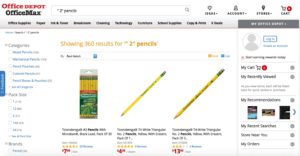
Abbreviations and symbols go hand in hand with today’s digital communication (think LOL and the whole host of emojis). Yet searches that include abbreviations and symbols are not supported by 60 percent of e-commerce websites.

Take, for example, a search for #2 pencils. Office Depot’s search successfully returns the same results whether users type “#2 pencil” or “2 pencil” into the search bar.

office-depot

If your site is missing this functionality, take stock of the symbols and abbreviations your users are most likely to use and incorporate them into your supported search terms.

Key takeaway: Stand out by giving customers the ability to search using abbreviations and symbols.

Understand the Intent of Searchers

Search is evolving and becoming more advanced. For example, just a few years ago long-tail search queries could not be supported. Today’s technology is able to pull little bits of information from long-tail terms to read the searcher’s intent. Let’s look at an example:

A customer searching for “boy shirts” has a much different goal than a person searching for “boy’s short-sleeve white shirt.” One will be content with a wide selection of products, while the other has a more specific product in mind, and therefore, higher expectations from search results. If your search is configured to understand the second shopper’s intent through these detailed keywords, you can serve up more relevant results, improving the likelihood of conversion.

In fact, websites with semantics-based search engine results have a shopping cart abandonment rate of only 2 percent, compared with rates as high as 40 percent on sites without this capability.

Key takeaway: Search capabilities should account for long-tail searches to reduce shopping cart abandonment and boost profits.


Leave Helpful Bread Crumbs

Like Hansel and Gretel finding their way out of the woods, most websites leave a breadcrumb trail to help shoppers go back without clearing their search results. Breadcrumbs that link back to previous search or navigation results pages allow shoppers to easily navigate back and forth, filtering and unfiltering results.

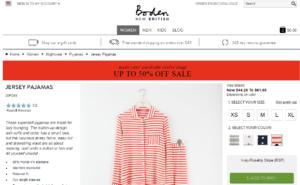
Boden, the popular UK retailer, allows users to, in essence, navigate backward through results with its clickable breadcrumb trails.

boden

Key takeaway: Don’t force users into a limited search. Allow them to filter by checking and unchecking their search terms to get a perfect result.


The Results… When Search Is Improved

The above discussion highlights red flags and common search challenges, but what happens when a customer’s search goes right? When customers quickly locate the items they’re looking for, more shoppers become buyers. Delighted with their experience, they’ll return to your site again and again. Here are a few examples of online retailers who’ve put their site search to work providing seamless customer experiences that generate tangible results.  

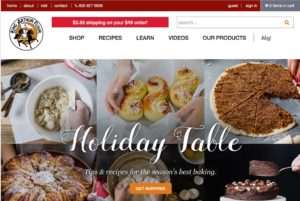
King Arthur Flour

King Arthur Flour has an engaged community of bakers. These bakers frequently visit and search the company’s e-commerce site.

king-arthur-flour

Providing recipes, tips, videos and products is an important part of the company’s strategy for engagement. Poor performing site search was keeping visitors from these resources. After improving its search, the company saw these results (among others):

  • Conversion rates for search users rose from 3.7 percent to 6 percent
  • Revenue from search users increased from 17 percent to 47 percent

Once the site’s search challenges were fixed, King Arthur Flour saw results that directly impacted the bottom line.  

Paul Smith

The retail company Paul Smith has shops throughout Europe, Asia and North America, with 200 stores in Japan alone.

paul-smith

The company set out to improve both the mobile and traditional search experience. Results included:

  • A 39 percent rise in conversions from search
  • An 11 percent increase in overall site revenue

Improvements in search ability provided an online shopping experience that exceeded customers’ expectations because they located the products they wanted more quickly.

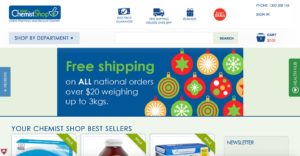
Your Chemist Shop

One of Australia’s leading online pharmacies struggled with slow-to-load search results, which frustrated customers and led to high bounce rates.

chemistshop

By improving the site’s search results and search functionality, the company was able to:

  • Increase conversion rates threefold from customers using the improved site search
  • Lower the bounce rate for search users by 3.5 times

Customers can now quickly find the products they need and complete their purchases with less resistance.

Moving Forward

Aesthetically, a good search looks just like a bad one. At first glance, you can’t tell them apart because search is influenced by many factors that you cannot see. But once you identify these issues, you can quickly resolve them and greatly improve usability.

Bob Parsons, founder of GoDaddy, said, “Anything that is measured and watched improves.” When you watch, measure and track the journey of searchers, you can create experiences that bring them delight. As a result, they will feel understood by your company and feel engaged as overall relationships and revenue grow.

To learn more about the importance of site search and to discover tips for improving your site search, download our e-book The Quick Guide to Better Site Search by clicking the button below.

Read More

Is Your Merchandising Working?

Posted by Amy LindseyDecember 16, 2016Merchandising, Site Search, Webinar

Just as in brick-and-mortar stores, the importance of designing your online site to sell most effectively can’t be overstated. Building online merchandising equivalents of in-store experiences promises that shoppers will not only find what they came to your site to find, but will discover products they didn’t even know they wanted, until you showed them.

Good brick-and-mortar merchandising can:

  • increase traffic by offering attractive visual experiences
  • increase sales by featuring products through promotions and displays
  • build loyalty through appealing, easy-to-access settings

The same principles apply to online merchandising; it’s just the implementation that’s a bit different. As you build out the merchandising functionality on your site, keep these best practices in mind.

Let Your Data Drive Programs

Knowing what your shoppers are interested in helps you respond to current trends and anticipate future promotional opportunities. When customers search, they’re telling you exactly what they want. Leverage data from search keywords and browsing behavior to power your search, navigation, email and advertising campaigns. With customer-generated data behind you, you’ll get the most traction for your time and money.

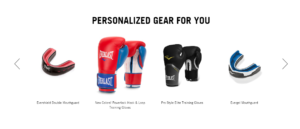
Everlast uses customer data to create highly relevant search and navigation results, as well as personalized recommendations. Once a personalized list is generated, the company uses it in targeted email and advertising campaigns. Techniques like this have brought Everlast 6x higher conversions site wide.

everlast-personalized

 Make Discovery Easy

Isn’t it helpful when you enter a store and a sales associate helps you find the exact item you’re looking for? Make the same true for online experiences. You can do this in a few ways: first, offer search that provides the most relevant products in the first couple rows. Second, show the most relevant products visually as the search query is entered. And third, tie the most popular keywords to promotions that you feature on your home page.

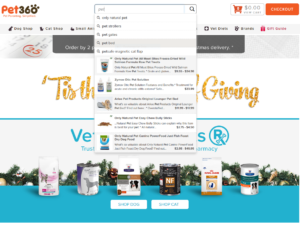
Pet360, an online retailer of pet supplies and pet health products, uses patented Rich Auto Complete technology from SLI Systems to not only give searchers suggestions based on the first few letters they type, but also show images, descriptions and prices for the most popular products based on those letters, right in the search box drop down menu. Rich Auto Complete tehnology has made discovery so easy for Pet360 shoppers, that they’ve seen a 20% increase in revenue from search.

pet360-richautocomplete

 Roll out the Banners

Merchandising banners are the perfect way to highlight specific offers and time-sensitive messages. As you’re planning a banner strategy for your site, consider trigger banners that that load when certain search conditions are met. Use shopper’s most popular keywords to trigger the display of highly relevant messages or calls to action. Banners on search results pages can highlight specific brands, seasons, holidays or other specials promotions.

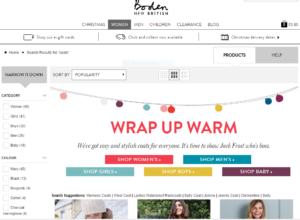
Enhancing merchandising with relevant product banners on search results pages has paid off for UK clothing retailer Boden. For example, a search for “coats” returns a highly relevant results page where product tiles are preceded by a banner shown only when customers search for coats, cleverly utilized as an additional, easy-to-use navigation menu.

boden-banners

Including dynamic product banners on search results pages has increased Boden’s sales by 10%.

If your site sells multiple brands, appeal to your brand-loyal customers by making your top-selling brands stand out. Brand-specific banners can be configured to appear automatically when a customer searches for that brand, giving your customer just the shopping experience he or she is looking for.

Give Shoppers a Soft Place to Land

Enhance seasonal or brand promotions further with curated landing pages based on shopper’s likely search terms. For example, if you would like to promote a series of special holiday products, create a landing page that loads whenever the word “holiday” is searched. Landing pages give you more control over the way products are displayed, allowing you to give your shoppers what will feel like a custom-tailored shopping experience.

Landing pages aren’t just useful for site searchers, either. You can drive users to your landing pages through your email marketing and social media campaigns. That way, if you want to promote different sets of products within different channels, you’ll have full control over what users see the minute they land on your site, making conversion much more likely.

Merchandise Across Channels

As you’re building out your merchandising functionality, don’t forget the mobile experience. A streamlined mobile experience that works around the physical constraints of a mobile device will make it easier for shoppers to find (and buy!) what they want. For instance, keeping your search box front and center on every page is critical to keeping shoppers on your site so they don’t waste time navigating an entire site. Additionally, adding refinements in large, tap-friendly dropdowns lets shoppers narrow down to the most applicable results. And don’t forget to creatively use banners on every page to highlight promotions.

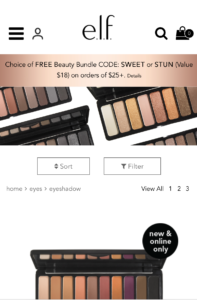
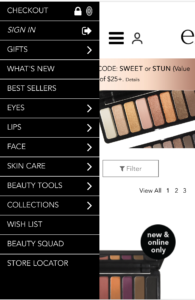
Currently, about 30% of e.l.f. Cosmetic’s online traffic comes from mobile devices. So creating an optimally merchandised mobile experience is essential. e.l.f.’s mobile site is designed for easy search and navigation, and simple, relevant banners appear on every search results page to increase the likelihood that mobile shoppers will convert.

elf-eye-shadow

elf-mobile-nav

Focusing merchandising efforts on site search is working for e.l.f. Currently, conversion for mobile visitors using site search is four times the rate of mobile users who don’t use search. Mobile sites that neglect merchandising opportunities around site search are missing out on higher sales.

Manage Your Merchandising

All online retailers want to merchandise in ways that work. It’s the time commitment that brings us down. We know how you feel. Merchandising can be your team’s biggest time suck. Analyzing data, constant tweaking, and sending requests back and forth to your IT department can be a full-time job…or multiple full-time jobs. What could your team accomplish with that time and manpower if merchandising could be automated?

With the right tools, much of it can. E-commerce software powered by machine learning, with a user-friendly interface, allows e-commerce managers to easily spot trends in user behavior, then capitalize on those trends with custom banners and landing pages for use on their websites, mobile sites, email campaigns and pay-per-click campaigns—all without the need for IT. Products can also be easily moved and highlighted to respond rapidly to shopper behavior and promotional opportunities. Your merchandising console should put the power to create and curate at your fingertips, with the data and tools you need to drive sales and stay ahead of the curve.

Hear how Jamie Buroff, digital merchandiser, uses many of these techniques to make merchandising work for Frontgate in this short video.


Read More

This Holiday, E-commerce Is Going to the Dogs (and Cats)

Posted by Dawn MortensenDecember 14, 2016Uncategorized

This holiday, cats may be a bit jealous of their dog friends, who will be digging more than two and a half times the number of gifts. As an annual holiday tradition, SLI Systems reports on what shoppers are searching for most in a particular category during the season. This year, we chose to look at a fast growing segment: gifts for pets.

According to PwC’s 2016 Holiday Outlook, pet owners will spend an average of $62 each this year on dogs, cats or both. We analyzed 3.5 million site searches that took place across eight different pet sites that use SLI Systems Learning SearchTM. The study focused on searches from the beginning of November through Cyber Week, but excluded searches for pet supplies like food or medicine in order to focus on likely gift items.

pet_graphs_final


Here are some of the interesting things we found:

  • Dog gifts are 2x more popular than cat gifts – Searches containing the word “dog” were 2.5x more common than those containing “cat.”
  • Dogs all set for slumber – Across the globe, site searches for “dog bed” were nearly 2x more common than the second most popular item: “dog collar.” The remainder of the top ten, in order, were: toys, treats, coats, bowls, sweaters, crates, chews, and bones.
  • Cats want to play and scratch – Sixteen percent of cat-related searches were for “cat toy,” earning the leading spot among the most popular cat gifts this season. Also clawing their way into the top ten, in order: “scratch” items, beds, catnip, collars, treats, carriers, bowls, trees, and of course, condos
  • Diggin’ for Deals – Searches for dog products accompanied by the word “sale” were 16% more common within dog-related searches than when “sale” was used within cat-related searches, indicating dog owners are more likely to seek discounts.

U.S. Highlights – California and New York Into Pet Gifts

  • Top Five Dog-Loving States – Dogs are living the dream in California, where 9.2% of all dog-related site searches originated. Grabbing 7.7% of dog item searches was New York State, followed by Florida (5.8%) and then Pennsylvania and Texas, which virtually tied with 5.7%.
  • Top Five Cat-Loving States – Cats also find the most comfort in California. More than 10% of U.S. searches for cat products originated in the Golden State, with New York (8.9%) close behind, followed in order by Pennsylvania (6.5%), Florida (6.1%) and Wisconsin (5.8%). New York and California also virtually tied for top searches for “kitten” items.

It’s understandable that the highest percentage of searches for pet gifts came from California, since it’s the most populous state in the U.S., with more than 39 million residents, followed by Texas (27.5), Florida (20.3 million), New York (27.5 million) and Illinois (12.9 million) (U.S. Census Bureau, 2015). Wisconsin, with about 5.8 million residents, however, ranks 21st in population, making the state’s love of furry felines especially notable.

To learn more about how SLI Systems addresses the e-commerce acceleration needs of pet retailers, take a look at the Pets industry sector page on our website.

Read More

Black Friday to Cyber Monday By The Numbers: Get Your Mobile On. Now.

Posted by Chris Brubaker, Chief Marketing OfficerDecember 10, 2016Uncategorized

This year’s Thanksgiving to Cyber Monday shopping weekend was record breaking for e-commerce.

We have compiled a snapshot of how the long weekend played out in the U.S. so that online merchants can prepare well in advance for the 2017 Holiday season. Here are key takeaways, by the numbers:

Thanksgiving Day – Savor, Search, Shop

  • 5% of consumers say they shopped online while actually at the Thanksgiving table
  • $1.93 billion in sales, up 11.5% YoY (Adobe)
  • Mobile sales alone reached $449 million between midnight and 5 pm, a 58% YoY leap (Adobe)

Black Friday – Deepening Discounts

  • $3.34 billion in sales, up 21.6% YoY (Adobe)
  • Online sales reached $490 million on Black Friday morning, with mobile generating 57% of visits and a hearty 40% chunk of sales (Adobe)
  • Black Friday deals among top 10 U.S. retailers were 5% greater than last year – painful for profits (FORTUNE)

 Cyber Monday – Mobile All The Way

  • $3.45 billion in sales, up 12.1% YoY (Adobe)
  • $1.19 billion of those sales, or a whopping 35%, were conducted via mobile
  • $139 average order value; $21 less than on Thanksgiving Day, given deeper discounts (Adobe)
  • 7% increase in online sales YoY (IBM)

Thanksgiving-Cyber Monday Weekend (Nov 24-28) – E-commerce FTW!

  • 10 million more Americans shopped online than in stores; 108.5 million vs. 99.1 million (NRF)
  • 6% of Millennials (ages 18-34), 35.5% of those 35+, made a purchase via smartphone (LivePerson)
  • Mobile revenue increased 30% YoY and desktop increased 6% YoY (Branding Brand)

FORTUNE Editor Phil Wahba recaps the weekend best: “To compete with Amazon, traditional retailers have been pouring billions into their e-commerce offerings. That includes upgrading shopping apps, equipping stores to handle pickups for online orders as well as ship e-commerce orders, and introducing mobile payment apps. The efforts have led to sharper e-commerce performance for many.”

The key to e-commerce sales and success this year was readiness. It is clear that retailers have stepped up their game online across their websites, mobile sites, and mobile/tablet apps.

What the data doesn’t show us, however, is potentially lost sales. How many mission-focused shoppers “bounced” when unable to find items they were looking for using site search and navigation? How many sales were lost when a shopper browsing on a smartphone or tablet had to wait for a page to load or scroll for far too long? After all, while conversions were higher over holiday averages, smartphones only saw 1.9 percent, tablets only 3.7 percent, and desktops were at 4.3 percent – indicating there is still much work to be done to streamline the mobile experience.


Here is a great place to start. The SLI Site Search and The Mobile Experience paper is an invaluable guide for ways to provide mobile and tablet shoppers with an amazing user experience. Get started, now…

Read More

The Evolution of Predictive Search

Posted by Amrita Sohal, Sales Director at SLI SystemsDecember 2, 2016Uncategorized

It’s happened to all of us. You’re shopping online, you type what you want into the search box — and nothing comes up. In some cases, you know the retailer has the product, but the search feature simply isn’t working correctly. At this point, you may do a couple of things. You may go hunt for the product using the navigation menu, which is time-consuming and leaves you frustrated. Or, more likely, you’ll leave the site for a competitor with better search functionality.

Companies know that providing an excellent customer experience is at the heart of their success. Seventy-eight percent of marketing professionals say they try to differentiate through customer experience. A major element of a stellar customer experience is a frictionless search process. Better search communicates to your customers, “We value your time, so we’re going to make shopping with us super easy.” In fact, 77 percent of U.S. adults say that valuing their time is the most important thing a company can do to provide them with good service.

The best way to value your customers’ time is to predict precisely what they are searching for and serve it up at exactly the right time. Over the past 25 years predictive search has advanced and evolved toward the goal of giving customers a perfectly predictive shopping experience. Sergei Brin, co-founder of Google, recently said, “My vision when we started Google 15 years ago was that eventually you wouldn’t have to have a search query at all.” Advancements in predictive search are turning this vision into a reality. Let’s take a look at the evolution of predictive search and see what  the future holds.

The Early Days of Search

Today the Internet is full of digital natives. If you’ve ever seen a 5-year-old ask his parent, “Why are you typing into Google? Hit that button and talk instead — it’s faster,” you know the progression.

Travel back in time, though, and you’ll find search features that would feel prehistoric today.

Archie was the very first search engine, launched over 25 years ago. Back then, locating pages through search required that you type the page name exactly how it appeared. Spelling mistakes? No results. Using different words to describe the page? No results. Missing a single word? You get the point. The phrase had to be an exact match or the searcher was left empty-handed.

Fast-forward, and today’s technology has advanced significantly. But companies are still working toward providing even more relevant and contextually engaging search experiences — especially with the advent of smartphones.

Mobile Arrives in Full Force

Mobile phones weren’t new in 2007, but that was the year the smartphone took customers by storm. The Academy Awards got a sneak peek into the technology when Apple ran its first ad, titled “Hello.” Check out the ad to see how far we’ve come.

But even Steve Jobs couldn’t anticipate how that single innovation would forever change not only mobile, but search.

As the new technology took hold, people were no longer searching for products and services only on their desktops or laptops. They were searching while waiting in line at the local coffee shop, sitting at the airport, or riding the morning commuter train. This amped up the potential rewards for companies who could crack the code on search.

If brands could predict what customers wanted to search for next, this could have a serious impact on the customer experience. For example, what would happen if companies could present search term suggestions before a person even thought to search?

The Early Days of Predictive Technologies

Thus began the advent of predictive technologies, such as  Google Suggest, which in 2008 began predicting what customers were likely to type into the search box. It took inventory of all the searches a person performed online, then meshed that data with popular search results. As a result, a search for “dogs” on Google, would now auto-suggest breeds of dogs that you’d searched for in the past, or the most popular breeds. It was a small change that made a large impact.

Prior to Google Suggest (which became Google Instant), it took from nine seconds to as long as 90 seconds to manually key in search requests. After the launch of Google Instant, search times got much faster. Google estimates it’s saved searchers 3.5 billion seconds each day with this method of search.

Today many companies use similar search functionality on their e-commerce sites. A good example is Amazon. Let’s say that you type “toy” into Amazon’s search box. Amazon auto-suggests commonly searched phrases such as “toys for 1 year old” and “toys for 2 year old boy.” Suggestions take shoppers where they want to go faster, and as a result, conversions and revenue are greater.

amazon-screen-shot

Link: http://www.amazon.com/

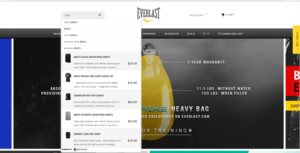
Sporting goods retailer, Everlast Worldwide, has a similar feature on its e-commerce site, but using patented Rich Auto Complete™ technology from SLI Systems, Everlast takes the power of predictive search one step further. As you begin typing the word “shorts” into the search box on the Everlast website, not only are you offered immediate suggestions of “men’s shorts,” “women’s shorts” and “MMA shorts,” you’ll also see pictures, descriptions and pricing of relevant, popular products displayed right alongside the search suggestions. Although the visual autocomplete technology was launched in 2010, SLI has been improving it for over 6 years to enhance the power of prediction with visual cues. Since implementation, Everlast’s revenue from search grew from 1% to 10% of total revenue.

everlast-screen-shot

Link: http://www.everlast.com/

Location Awareness: Understanding Customers in Context

When location services became available on smartphones, it provided another opportunity for predictive search to produce even smarter results.

For example, using location, Google can now answer questions in context at the exact moment of relevance. So if you’re shopping at a local mall, it’s getting late, and you want to know what time stores are closing, you can simply ask your smartphone, “What time does this mall close?” Prior to location services, this question would have been too vague to retrieve an answer through regular search capabilities. How could the phone possibly know what mall you were referring to? But with location awareness, the search query can be processed because the search engine knows where you are located.

Seventy-four percent of adults use their phones to get directions or other information based on their current location. In addition, many people are using applications that rely on location to share information with friends. For example, the popular application “Find My Friends” allows you to find a friend’s exact location when both of you are connected through the app.

Location awareness provides additional power to predictive search capabilities by giving customers access to the products and services they need at the exact moment of relevance.

Predictive Search: What Is It?

Predictive search helps users find results faster and discover answers to questions they haven’t thought of yet (but likely would in the future). For example, Google Now launched in the summer of 2012. It was coined a “predictive personal assistant for Android and IoS,” but this technology is basically using predictive search to generate answers to customer questions in context.

The technology leverages all Google products that a person uses to learn more about them. It harnesses behavioral data from Gmail and google calendars, for instance, to predict what you want next.

The system learns where you live, work and travel, what television shows you like, what music you enjoy, and other critical details to serve up relevant experiences through e-commerce personalization. Essentially, Google is searching before you even think of it. But how does this type of predictive search work?

For Google Now, programmers create what they call “cards.” They use these cards to continually gather details about your life so they can produce better search experiences. So when you get in the car to head to the airport, the Google Now app automatically pulls up directions and estimated travel time to the airport before you even make the search inquiry.

The result? You just saved time, as Google  accurately understood your search needs in context.

If you’re traveling to another country and need to know the exchange rate of the U.S. dollar, the moment you land, the app will welcome you and provide the weather, the exchange rate, and other details you may need. It has effectively anticipated your needs at the moment of relevance.

Predictive search can also track previous behaviors to predict future search needs. For example, if you typically view movie listings every Friday after work, predictive search will automatically deliver movie listings at 5 p.m. each Friday — before you make the search query yourself.

Behind the Scenes: A Quick Look

Predictive search will continue to evolve, but here’s how it’s currently working for search applications such as Google Now. The technology pulls data from several critical sources, including:

  • Location. Where are you located right now? What is the history of your locations? The technology leverages this information to predict what you’ll want to search for in the future.
  • Search details. What have you searched for in the past? This data may provide answers on what you want in the future, so predictive technology stores that for later use.
  • Email. Google Now recognizes flight confirmations in your email. The example above showed how the app knew at the exact time of relevance when you would need travel time and directions to the airport.
  • Calendar. When you mark events on your calendar, the technology can anticipate that you need to shop for upcoming events, such as birthdays, anniversaries or holidays.

All this data is inventoried, stored and used in conjunction with location-relevant data to anticipate your needs quickly and accurately.

Predictive Search: Does Your Company Need It?

The examples above show how people are using search technologies, such as Google Now, to find the information they need. But how does this work for e-commerce? Predictive customer analytics technologies are critical to forging stronger and authentic connections with customers.

For example, a customer could be visiting a brick-and-mortar store and looking for a product that’s out of stock. Predictive technology would know that the product is out of stock, immediately ask if the customer wants it sent directly to his or her home and offer expedited shipping to get it there the next day. Additionally, predictive technology gives you the insights to suggest relevant alternatives to the out-of-stock item.

Or, if a customer shopping online is getting close to the checkout process, predictive technology can pull up data showing this person ordered a birthday gift for a family member at the exact same time last year. The search technology could ask if they need to shop for that person again, or whether he or she wants the items in their cart gift-wrapped at a discounted price. Creating these hyper-personalized experiences through predictive search is powerful for e-commerce.

Moving Forward With Greater Accuracy

Predictive search is helping companies tap into their customers’ needs with increased  accuracy. Combining historical, current and geographical data allows companies to serve up contextually relevant results before the customer thinks to make the request.

In the future, search will transform as machine learning continues to use the infinite data points that it collects to get smarter. As Jeff Bezos, founder of Amazon, said, “If you’re competitor-focused, you have to wait until there is a competitor doing something. Being customer-focused allows you to be more pioneering.” Companies that adopt this technology early will become stronger as they facilitate these targeted moments of serendipity with customers.

SLI Learning Search®

SLI Systems accelerates e-commerce with an easy to use, predictive product discovery platform that learns from customer behavior. With a more direct path to purchase, SLI helps global e-commerce retailers create a truly extraordinary buyer experience by predicting which items each shopper is most likely to buy. To learn more about how our platform grows sales and delights customers, download The Quick Guide to Better Site Search.  

Read More

How to Move to a New Navigation Solution Without Losing Your SEO Value

Posted by Jennifer Hadley, Customer Success ManagerNovember 22, 2016Uncategorized

Business man watching the failure in the world of investment

After spending time and money (and blood, sweat and tears) building up traffic to your category pages, you might be hesitant about making any changes that would sabotage your SEO value.

If you are considering a new navigation solution, but concerned about losing traffic to your category pages, there are a few things you can do before moving to the new solution that will help preserve the SEO effort you’ve put into these pages.

Read on for some common SEO concerns we’ve heard and the tips we’ve followed and tested to make sure SEO value is preserved when moving to a new category page solution.

Set up redirects and preserve page authority

SEOs and Google Webmaster Trends Analysts agree that one of the most important things you can do is set up permanent redirects from your old category URLs to the new category URLs. When done correctly, this is a great way to preserve page authority and pass it on to the new page. Make sure that these redirects remain active for at least a few months after the solution is live.

Clean up old URLs so they are de-indexed by search engines

There might be a few old category pages that you do not want to redirect. Some of these pages might just not be valuable enough or maybe they are pages created from refinements such as sort order and pagination. If these ended up indexed, and you do not want to redirect them to a new page, you should make sure these are de-indexed.

Manage bot access so the correct pages get crawled and indexed

While implementing the new navigation solution, you want to make sure that the new navigation pages are not accidentally indexed. Avoid this by configuring the robots.txt file accordingly and then updating again after going live.

Get picky with the categories you index

It isn’t a good idea, or even necessary, to index any and all refinements that you are including on your category pages. For example, if you sell furniture on your site, you might want to index category brand, but not price range.  While moving to your new category page solution, keep in mind that every refinement you allow to be indexed, basically multiplies the amount of indexable pages.

Double check canonical tags

This is also a great opportunity to double check that you have the appropriate canonical tags set up. In particular, you should check that proper canonicalization is in place for URLs and pagination in order to avoid the indexation of duplicate content. Click here to learn more about the canonicalization of pagination.

 Migrate or add rich content

If you included rich content such as banners and descriptions on your old category pages, make sure this content is migrated over to your new pages. This is also important for maintaining SEO value. If your category pages were content deficient, take this opportunity to do it right and consider adding banners, rating information, reviews and relevant product descriptions.

Choose a solution that gives you SEO control

Having control of the SEO as much as possible on your new category pages is crucial. With SLI Systems Learning Navigation®, you are able to decide which pages are indexable, which can help you avoid spamming Google with duplicate content. You are also able to access an easy-to-use interface where you can customize the URLs, titles, descriptions and meta tags for these pages.

Good quality SEO on category pages is valuable because it drives organic traffic to your site and provides a crawl path to your product pages. When your transition to a new system is handled correctly, the right navigation solution will not only preserve the SEO value you’ve already built, but will continuously improve the SEO value of your category pages long into the future.

To learn more about SLI Learning Navigation®, click here.


Read More

9 Factors to Consider When Evaluating E-commerce Platforms

Posted by Kim Presser, Director of SalesNovember 18, 2016Uncategorized

The shopping environment of previous generations has been replaced with robust virtual shopping experiences, one-click ordering, and apps that serve up lightning-fast and highly relevant user experiences. This progression has fueled shifts in buyer behavior and an evolution in the best e-commerce platforms.

Today, buyers expect brands to deliver more. And e-commerce companies have to work harder than ever to meet those demands, but the payoff is worth it.

By 2018, it’s expected that online sales in the U.S. will grow to $414 billion, a 57 percent increase over just three years ago. And by the year 2020, customer experience is expected to overtake price and product as the key brand differentiator.

The capabilities of your e-commerce platform affect your ability to engage customers more deeply and create a truly extraordinary buyer experience. Some retailers find that the right e-commerce technology partner can help them overcome the limitations of their platform. Other retailers find the need to switch to an e-commerce platform that can meet their growing needs.

If you’re in the market for a new e-commerce platform, where should you start? Here are nine factors to consider before adopting a new e-commerce platform.

Reporting and Analytics: View Customers with Clarity

Today there is no shortage of available data. Transforming that data into valuable insights is where most companies get stuck. Max Levchin, PayPal co-founder, said, “The world is now awash in data and we can see consumers in a lot clearer ways.”

But insight is not enough. You must have the right tools to turn insights into action.

Here are a few questions to consider as you evaluate the reporting and analytical capabilities of a new e-commerce platform.

  • Does this platform allow you access to historical and behavioral data? If so, how can you transform that data into actionable insights to fuel more authentic and engaging customer experiences?
  • What specific insights can you learn from the searches that your customers are conducting through the platform?
  • What types of data-rich tools does this platform offer? Does it provide reports, dashboards or other resources that can drive greater performance?
  • Will this platform help you monitor key business metrics, for example, conversation rates or average order values?

Your goal is to create the experiences that your customers demand. Be sure your e-commerce platform offers the analytics to get you there.

Integration: Does It Play Nicely With Others?

A major factor that sets e-commerce platforms apart is third-party integration. Most companies are using a variety of third-party applications in their daily workflow, so it’s critical to select a solution that will seamlessly integrate with your existing applications.

For example, maybe you use an application that targets customers by geographic location. Or perhaps you leverage an application that helps to discover customer shopping habits and generates personalized emails based on those behaviors. Here are a few questions to ask to ensure your new e-commerce platform supports  the third-party functionality you need.

  • Where is customer data stored in the e-commerce platform, and can that data be harnessed by third-party applications?
  • Which application owns pricing? Can it integrate with other applications?
  • How are credit card details authorized and fraud detection handled?
  • Can existing and future promotions be synchronized with other channels, creating a consistent omni-channel experience for customers?

Depending on the complexity of your existing environment, integration may be a key factor for your business. Before you buy, get an in-depth understanding of how existing applications and applications you may need in the future will integrate into the platform.

Scalability: Find a Partner That Can Grow With You

The word “scalability” is used all the time when it comes to technology. But in the case of selecting an e-commerce platform, it’s especially important. Why?

E-commerce is growing, which means in five years your business needs may look much different. Switching platforms is a large undertaking, which requires internal resources, time and money. Considering scalability today will save time and headaches in the future. Here are a few questions to consider.

  • How many visitors does this solution currently support?
  • What is the average number of orders per hour, day and week this platform can support? How does this compare to your company’s current volume and future forecasts?
  • Can this solution support a complex product catalog? How many SKUs can it support?

It’s tempting to purchase only what you need, especially if there are budget concerns. After all, some of the features won’t appear relevant to today’s business. But when you weigh today’s needs with future needs, you can strike a healthy balance that ensures future success.

Product Catalog: Display the Right Products at the Right Time

Your product catalog is at the core of your e-commerce business. You can’t afford to lose customers at this step in the buying cycle. So, when selecting a new platform, what should you think about in regard to your product catalog? Here are a few questions to consider.

  • What types of products can the platform display? Can it display the products that you offer today as well as what you may offer in the future?  
  • Can you easily present related accessories and product bundles to clients? For example, if your customer is shopping for dresses, can you present matching sweaters, shoes and jewelry?
  • Are there any limitations to the way this platform displays products? And if so, are those factors critical today or in the future?

Every customer will engage with your product catalog. It’s where they’ll decide whether to purchase from you or go elsewhere. The right platform helps you get this piece of the puzzle right and drives higher conversion rates.

Search Ability: Find, Seek … Delight

Nothing is worse for a customer than searching for a product – one that you offer – and coming up empty-handed. Customers’ attention spans are shorter than ever, so you must deliver what they want at the moment of relevance. Otherwise, they are lost forever.

Select an e-commerce platform with robust search capabilities that deliver without fail and support a dynamic search experience.

If you’ve located the perfect e-commerce platform, but the search functionality is lacking, don’t worry. This isn’t a huge problem – so long as the platform integrates well with leading search providers. Here are a couple questions to consider:

  • What does the e-commerce search experience look like for this platform? Ask for a demo so you can better understand how it works and uncover any potential flaws and integration capabilities.
  • How easy is it to integrate with leading search providers? Does the process feel intuitive to users?

For example, e-commerce platform Magento provides flexible integration with leading search providers, making it easy to offer users a more seamless e-commerce experience.

magento-screen-shot

Another good example is SAP Hybris, which allows you to provide a consistent omni-channel experience for customers along with seamless search integration and capabilities.

hybris-screen-shot

Customers come to your e-commerce site with high expectations. When you deliver and exceed those expectations with the right e-commerce platform and robust search integration, you create strong relationships and increase customer loyalty.

Design Flexibility: Deliver an On-brand Experience

The majority of customers are visual. It’s how they learn, process information and prefer to engage with the world. In fact, 65 percent of people are visual learners. So what’s the connection between visual learners and your e-commerce business?

The answer is simple. You need to capture attention, hold on to it, and use it to generate interest. Flexibility in design makes this possible. The average e-commerce site’s bounce rate is 33.9 percent. That means that nearly a third of all people visiting an e-commerce site are leaving right away. Agile design helps you decrease bounce rates.

When looking for a new e-commerce platform, ensure that site navigation is easy, the page layout is intuitive, and the steps required to complete the shopping process are visually engaging. Here are a few questions to consider.

  • What options are available for page layout?
  • How flexible are the design options?
  • Can you use an outside designer to create pages, and if so, does the platform make the process easy?

The right platform is all about simplicity, flexibility, and agility. You need it to be customer-friendly and simple for your internal team and outside partners to customize.

Site Security: Lock It Down, Protect Your Customers

Security is a key component when selecting the right e-commerce platform because it’s critical to the success of your business. You don’t need to look far to see what happens when security is weak. Target, Home Depot, and Anthem are prime examples.

In addition, those collecting customer payment information must also use a PCI-compliant processor. So the provider that you select should offer a platform that works easily and securely with your preferred payment processor.

Ask any potential partners about the security of their offerings and how they integrate with PCI-compliant processors.

Support and Service: More Than a Vendor, a Partner

With any new platform, even the most user-friendly, you will likely have questions. What will happen if your team gets stuck? If the answer includes being sent to voicemail or waiting on hold, you may want to keep looking.

Start by asking what resources are available online. Some providers offer how-to guides, FAQs or, even better, video tutorials for common problems. In other cases, online resources aren’t solving the problem and you need real-time assistance from a person. How hard is it to speak with someone? What are the average wait times?

Deploying a robust e-commerce system is great, but all the features aren’t worth it if you can’t get the help you need quickly. Support and service are key differentiators for e-commerce platform offerings, helping you to better serve customers and operate with greater efficiency.

Pricing and Budget… Never Sacrifice on Quality

We can’t talk about selecting the right e-commerce platform without addressing budget. Regardless of your company size, you likely have a limit to what you can spend. While cost is important, avoid making it the center of your search.  

There are many costs to implementing a new e-commerce system that are not included in the initial price. For example, maybe the provider doesn’t offer great support, so employees are wasting countless hours troubleshooting problems – and even worse, the customer experience is suffering. You won’t see these costs in the price tag, but they’ll show up later as lost sales or diminished productivity.

If you purchase a platform based on price and then later discover that it’s missing critical features, expenses can add up fast when you’re forced to purchase new tools or modify existing tools to make it work.

Consider price, but don’t make it your focal point.

In the End … It’s all about the Customer

The best e-commerce platform is the one that helps you provide a stellar customer experience. It helps you exceed your customers’ expectations with shopping experiences that flow easily and naturally. Jeff Bezos, founder of Amazon, said, “A brand for a company is like a reputation for a person. You earn reputation by trying to do hard things well.”

When you select the right e-commerce platform for your business, you’re on your way to creating lasting relationships and loyal customers – the Holy Grail in a highly competitive marketplace.

What is SLI?

At SLI, our machine-learning platform offers up the most advanced technology available to accelerate your e-commerce and continuously delight customers at every click.

For more tips, check out our platform guide, SLI Advanced Technology and Infrastructure Overview.

Read More

Posts pagination

< 1 2 3 4 5 6 7 8 … 64 >

Stay up to date with SLI

Featured Posts

  • Maximize Revenue with Enhanced Product Impact Testing
  • Top Five Ways to Prepare for Peak Season
  • Facets, Facets, Who’s Got the Facets?
  • Personalization: It’s Kind of a Big Deal
  • M is the New E: Mobile Commerce Trends and Predictions

Categories

About SLI Systems

  • What We Do
  • Who We Are
  • Why SLI

Learn

  • Webinars
  • News Room
  • Events

Connect

© Copyright SLI Systems, 2018. All Rights Reserved | US: (866) 240-2812 | Legal